Tesla Controller Bridge

Tesla Controller
Bridge

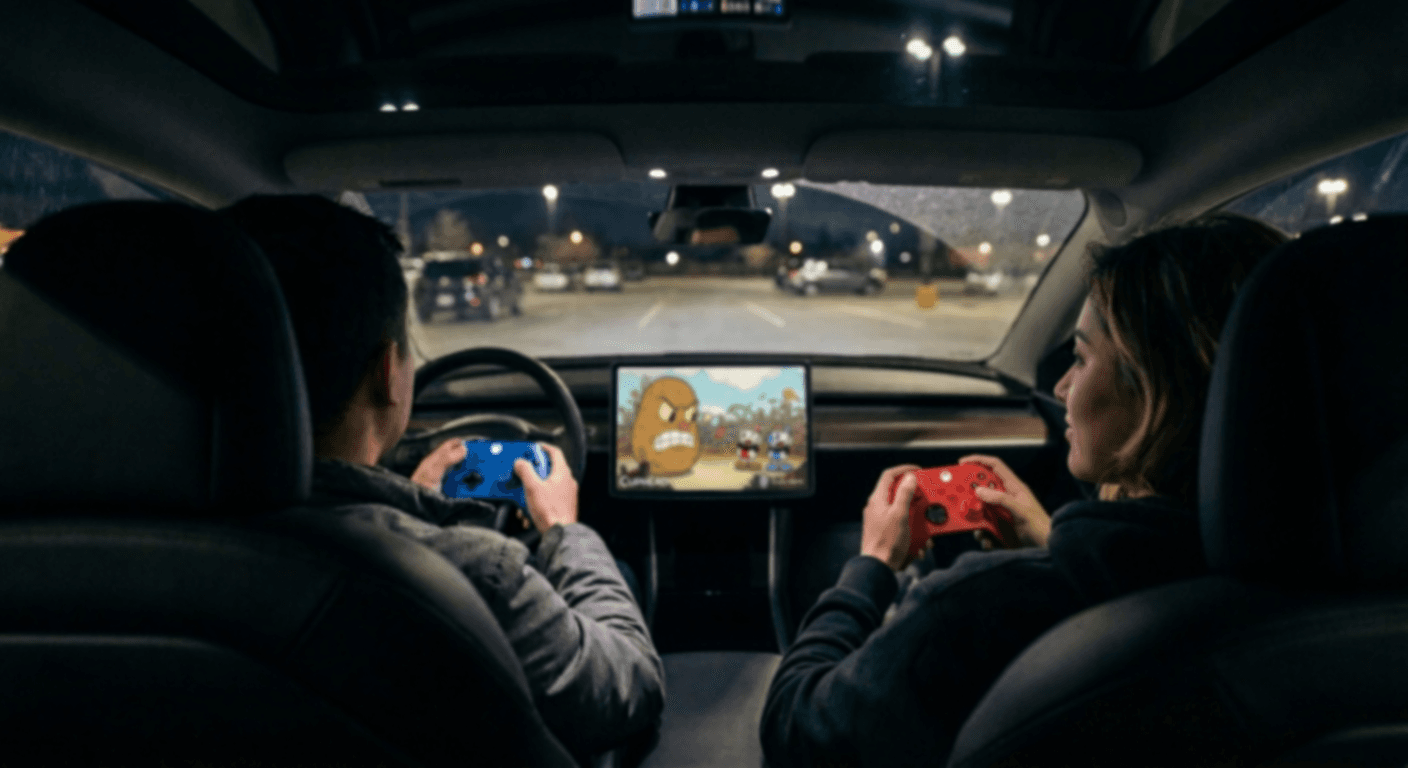
Use your Xbox Series X|S controller with Tesla games that have controller support. Flash your ESP32 from Chrome on desktop.

Free
$015-minute trial
  • Shows as teslacb.com in Tesla
  • Disconnects after 15 minutes
  • 1 device
Desktop onlyOpen in Chrome on a PC/Mac to install
Recommended
Full
$10one-time
2 controllers, no time limit
  • Custom Bluetooth device name
  • No time limit
  • Flash 2 ESP32s for player 1 and 2
  • Two-player ready
Desktop onlyOpen in Chrome to purchase & install

Setup

Everything you need and how to flash.

How to flash

Five steps to flash your ESP32.

1Plug your ESP32 into your computer via USB
2Click Try Free or Unlock Full above
3Select the serial port (CP2102 or CH340)
4Wait ~30 seconds for the flash to complete
5Unplug and take it to your Tesla
01ESP32-WROOM(not S2, S3, C3)
02USB Cableto connect ESP32 to computer
03Xbox Series X|Scontroller (model 1914)
04Chrome Browserdesktop browser required

After you flash

How to use the bridge once it’s flashed.

01PowerPower the ESP32 via USB charger, car USB, or battery bank
02PairPut your Xbox controller in pairing mode (hold pairing button)
03ConnectWait for the controller LED to go solid
04BluetoothOn Tesla, pair “teslacb.com” (or your custom name) in Settings → Bluetooth
05Play!Open a Tesla game and start playing
2P
Two-player setup

Two-player requires two separate ESP32 devices, one per controller. One Full purchase ($10) covers both. Re-flash as many times as you need. We recommend using a USB hub to power both ESP32s from a single USB port.

FAQ + Troubleshooting

Why do I need this?
Tesla uses Bluetooth Classic for game controllers, but controllers like the Xbox Series X|S use Bluetooth Low Energy (BLE). Because of this mismatch, your Xbox controller will never appear in Tesla's Bluetooth settings on its own. Tesla Controller Bridge flashes an ESP32 microcontroller to act as a bridge. It connects to the Xbox controller over BLE, then presents itself to the Tesla as a Bluetooth Classic gamepad. Installing the firmware on your ESP32 requires no coding knowledge and takes only a few minutes from a compatible web browser (like Google Chrome).
Which ESP32 board should I buy?
Any ESP32-WROOM development board with USB will work. The following boards were tested during development and are recommended for compatibility: Adafruit HUZZAH32, SparkFun Thing Plus, and ESP32-DevKitC-32E. Avoid ESP32-S2, S3, and C3 variants because they use a different Bluetooth stack that's incompatible. I could not make the PICO-D4 work despite my best efforts.
Does this work with Xbox One controllers?
No. You need an Xbox Series X|S controller (model 1914). Older Xbox One controllers use a different Bluetooth protocol that isn't compatible with the bridge firmware. Some Xbox One controllers use Bluetooth Classic and will be visible to the Tesla in the Bluetooth settings.
No serial port appears when I click Install
Make sure your ESP32 is plugged in. You may need to install the CP2102 driver or CH340 driver for your board's USB chip.
Controller LED keeps blinking (won't pair)
Make sure you're using an Xbox Series X|S controller (model 1914). In some cases you may have to reflash the ESP32 and try pairing again. There is also a non-slim chance that the ESP32 board you have is defective. If you have another ESP32-WROOM board available, try flashing that one to see if it resolves the issue. If you are trying to connect two controllers, please make sure the first controller is fully paired (solid LED) before trying to pair the second one. Putting both controllers in pairing mode may cause both controllers to connect to a single ESP32 at the same time. Easiest way is to prevent this is to keep the second ESP32 unplugged and the second controller powered off until the first controller is fully paired.
What happens when the free trial expires?
After 15 minutes of active bridging, the free firmware disconnects from Tesla and stops. Power-cycling the ESP32 resets the timer for another 15-minute session. Upgrade to Full for unlimited use.
Why does the full version cost money?
A lot of time, money, and testing went into developing this firmware, and keeping the service running has ongoing costs. The full version is a one-time $10 purchase with unlimited access through your account (no subscriptions, no extra fees, ever). Funds also go towards developing a plug-and-play, off-the-shelf solution for those who prefer not to flash their own hardware.
How to switch to a different controller
The ESP32 is locked to the first controller it pairs with. To use a different controller, simply re-flash the firmware using the install button above. This resets the pairing and the ESP32 will connect to the next Xbox controller it finds.
Tesla doesn't see the ESP32 in Bluetooth settings
Make sure the Xbox controller is already connected to the ESP32 first (solid LED). The ESP32 only advertises to Tesla after the controller is connected. Also verify you're using the classic ESP32-WROOM, not an S2/S3/C3 variant.
Buttons or sticks don't work correctly in game
Try unpairing and re-pairing the ESP32 from Tesla Bluetooth settings. Some Tesla games expect specific button layouts—the bridge maps standard Xbox controls to a standard HID gamepad. Only the official Xbox Series X|S controllers (model 1914) were tested during development, and there is no guaranteed compatibility with third party controllers that may have a non-standard layout . Please note that the bridge only translates bluetooth protocols, it does not modify or remap any button inputs.
Why did you make this?
I grew up playing on Xbox controllers and find the joystick and button layout the most comfortable. I was disappointed with the third-party controllers on the market and wanted to keep using what I was most familiar with. Since it's a Bluetooth compatibility problem rather than a controller problem, a Bluetooth "bridge" using an ESP32 seemed like the most elegant and cost-effective solution.
How do I safely power off the ESP32?
Just unplug it. The ESP32 has no shutdown procedure — simply disconnecting the USB cable is perfectly safe. Your firmware and settings are stored in flash memory and won't be affected.

Recommended devices

Tested ESP32 boards used during development. We do not make any commission from these links.

NOTE: Other ESP32-WROOM boards found on Amazon, Aliexpress, or elsewhere may also work, but shipping times, reliability, and seller support can vary. We recommend buying from established electronics suppliers and thoroughly checking reviews if available. You will find that there are many different form factors and designs at prices as low as $2 that will all work as long as the ESP32-WROOM module is used. Avoid ESP32-S2/S3/C3 variants as they use a different BLE stack thats incompatible with the bridge firmware. We were unable to make the PICO-D4 work reliability so we recommend avoiding it. Please make sure the device you purchase is a development board with USB support, not just a bare ESP32 chip. To protect the sensitive electronics in your ESP32 and ensure a stable connection, we recommend using a high-quality, undamaged USB cable and considering a protective case or enclosure for the ESP32.

Please do not contact us asking whether a specific board other than the ones listed here will work. We have only tested the devices listed above and cannot guarantee compatibility or provide support for other models.